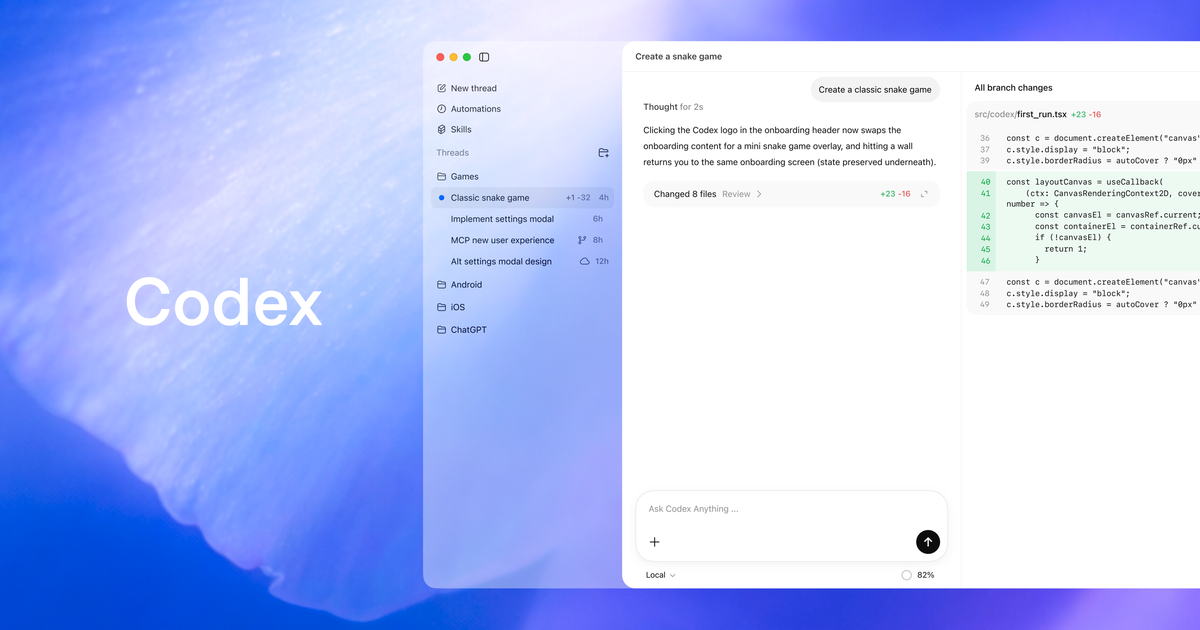
OpenAI is building a “super app” in plain sight, and it’s using the developer workflow as its Trojan horse. During a recent briefing, Codex engineering lead Thibault Sottiaux admitted the company is “evolving it out of the Codex app,” signaling a pivot from a simple IDE plugin to a persistent, autonomous workspace that manages the entire software lifecycle CNET.
This isn’t just a branding exercise. The April 2026 update introduces GPT-5.3-Codex, a model specialized for “long-horizon” tasks that can run uninterrupted for over 25 hours OpenAI. With native computer use, an in-app browser, and a new configuration standard called AGENTS.md, Codex is moving away from being a pair-programmer and toward being a full-time digital employee.
The Technical Core: GPT-5.3-Codex
At the heart of this update is a specialized agentic model that OpenAI claims is 25% faster than its predecessors. Unlike general-purpose LLMs, GPT-5.3-Codex is optimized for the plan → implement → validate → repair loop.
Key performance metrics and specs include:
- Reasoning Horizons: Capable of maintaining state and coherence over 25+ hour sessions OpenAI.
- Computer Use: Scores 64.7% on the OSWorld benchmark, allowing it to navigate macOS and Windows environments by “seeing” the screen and controlling the cursor OpenAI.
- Execution Environment: Agents operate in isolated, secure cloud sandboxes (using bubblewrap on Linux) that mirror the user’s local setup to prevent merge conflicts during parallel execution GitHub.
Native Computer Use and the In-App Browser
The most visible change is the “Computer Use” capability. Currently rolling out to macOS users (excluding the EEA, UK, and Switzerland for now), this allows Codex to operate any application on your machine. It can click, type, and scroll through tools that don’t have APIs—think legacy enterprise software, GUI-only design tools, or mobile simulators GHacks.
Complementing this is the new In-App Browser. Developers can now render local or public pages directly within the Codex sidebar. This allows for a tight feedback loop: you can comment on a specific UI element in the rendered page, and Codex will immediately refactor the CSS or React component to match your feedback Releasebot.
Actionable Config: The AGENTS.md Standard
One of the most practical additions for engineering teams is the formalization of AGENTS.md. Much like a README.md tells humans how to use a repo, AGENTS.md tells Codex how to work in it. Codex automatically discovers these files in your project root or global config (~/.codex/AGENTS.md) LLMX Tech.
Here is a conceptual example of what a robust AGENTS.md looks like:
# Agent Guidance

## Environment Setup
- Build Command: `npm run build`
- Test Command: `npm test -- --watchAll=false`
- Lint Command: `npm run lint`

## Coding Standards
- Use functional components for all new React work.
- Always include JSDoc comments for exported functions.
- Prefer Tailwind CSS for styling.

## Definition of Done
- All unit tests must pass.
- No new linting errors introduced.
- Documentation updated in `/docs`.
By layering these files, you can set global preferences (e.g., “always use TypeScript”) while allowing project-specific overrides (e.g., “this legacy repo uses Flow”).
Competitive Landscape: Codex vs. The World
OpenAI is positioning Codex as a “unified AI environment,” which puts it in direct competition with both high-level agent frameworks and specialized IDEs.
| Feature | OpenAI Codex (GPT-5.3) | LangChain (LangGraph) | AutoGen |
|---|---|---|---|
| Primary Strength | Autonomous teammate for long-horizon coding | Complex, stateful workflows with graph control | Multi-agent collaboration via debate |
| Development Style | “Vibe coding” with high-level steering | Building custom pipelines with “bricks” | Defining roles (Coder, Planner) that chat |
| Key Capability | 25-hour uninterrupted runs; full repo management | 600+ integrations; excellent for RAG | Native multi-agent loops with code execution |
| Ecosystem | Deeply integrated into CLI, IDEs, and OpenAI stack | Massive community; standard for production | Microsoft-backed; best for rapid prototyping |
While tools like Cursor and GitHub Copilot excel at inline completions and chat-based refactoring, Codex is aiming for the “agentic” middle ground. It isn’t just helping you write a function; it’s managing the pull request, checking Slack for feedback, and updating the documentation autonomously Sider.ai.
Community Sentiment: The “Token Tax” and Privacy
Reception among practitioners is a mix of technical awe and economic skepticism. On Reddit and Hacker News, the conversation has shifted from “can it do the work?” to “how much will it cost?”
- The Token Tax: A major point of contention on Hacker News is the shift toward token-based API pricing for these long-running tasks. Skeptics argue that a 25-hour autonomous session could lead to unpredictable “bill shocks” if the agent gets stuck in an infinite loop of
plan → fail → retry[Sentiment Scan]. - Privacy and Control: The “Computer Use” feature has triggered security alarms. Practitioners on X (formerly Twitter) are questioning the wisdom of giving an AI full cursor control over a machine that likely contains sensitive SSH keys and browser cookies [Sentiment Scan].
- Bloat vs. Specialization: Some developers on r/ChatGPT expressed frustration with the “Super App” model, preferring specialized, lightweight tools over a monolithic environment that tries to handle everything from spreadsheets to source code Reddit.
Takeaways for Practitioners
- Adopt
AGENTS.mdearly: Even if you aren’t using the full Codex Super App, structuring your repo’s instructions for agents is becoming a standard practice that improves performance across all LLMs. - Evaluate the “Token Tax”: For long-running autonomous tasks, monitor your usage closely. The convenience of a 25-hour coding run comes with a significant price tag compared to manual prompting.
- Leverage the In-App Browser for Frontend: The ability to comment directly on a rendered UI to trigger code changes is a massive workflow win for “vibe coding” and rapid prototyping.
- Security Sandboxing is Mandatory: If you use the Computer Use feature, ensure you are utilizing the secure devcontainer profiles or bubblewrap support mentioned in the latest releases to isolate the agent from your primary OS GitHub.
- Watch the PR Workflow: Codex now allows you to inspect GitHub PRs and address comments directly in the app. This is the first real sign of AI moving from “writing code” to “managing the engineering process” OpenAI.