Design-to-code has traditionally been a game of broken telephone, where intent is lost between Figma layers and React components. Anthropic just released a bridge that actually reads your repo to build prototypes that aren’t just pretty—they’re technically accurate.
What happened
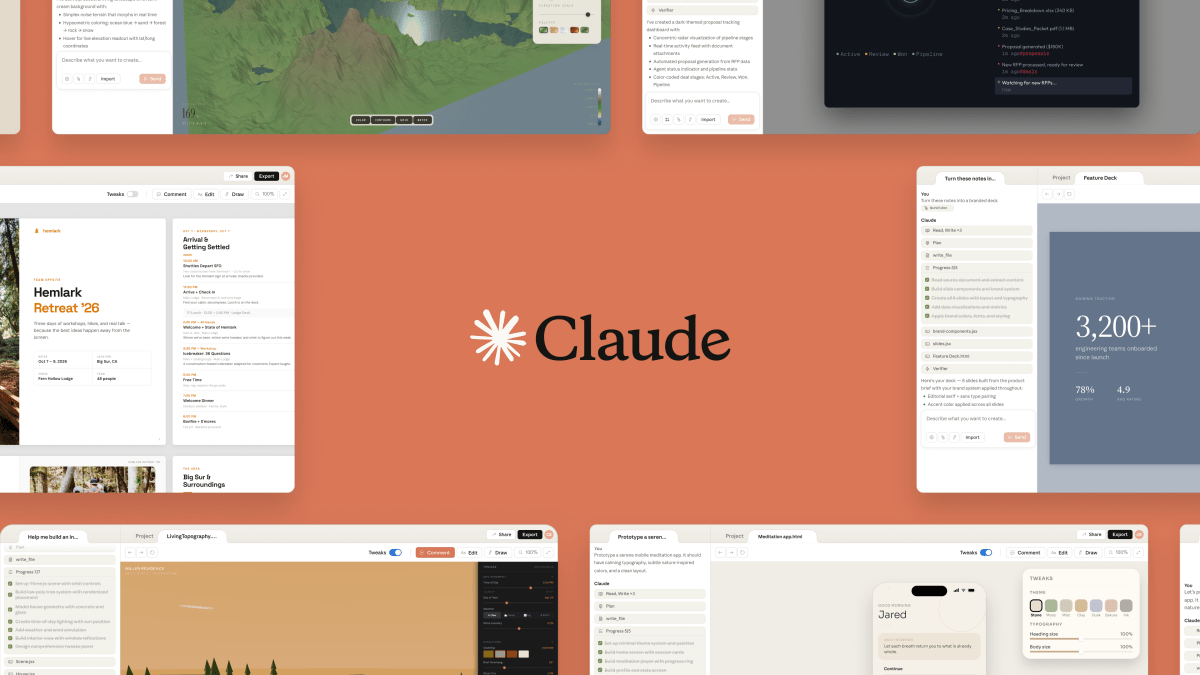
On April 17, 2026, Anthropic launched Claude Design, a dedicated workspace for collaborative visual work. Powered by the newly released Claude Opus 4.7, the tool allows users to generate interactive prototypes, slide decks, and marketing collateral through natural language. Unlike previous “chat-and-screenshot” workflows, Claude Design is a persistent environment where users can refine outputs via inline comments, direct edits, and AI-generated custom sliders.
Anthropic is positioning this as a “research preview” available to Pro, Max, Team, and Enterprise subscribers. A key highlight of the launch is a strategic partnership with Canva, allowing users to export AI-generated designs directly into the Canva ecosystem for final polishing. According to TechCrunch, the tool is intended to complement existing professional software rather than replace it, specifically targeting founders and PMs who need to move from “idea to visual” without a dedicated design team.
Under the hood
The technical differentiator for Claude Design is its “system-aware” nature. During the onboarding process, the tool can be granted access to a company’s codebase and existing design files. It uses this context to build an internal design system, ensuring that every generated component uses the correct typography, hex codes, and spacing tokens from the start.
Key technical features include:
- Model Context Protocol (MCP) Integration: Claude Design functions as a bridge via MCP, allowing it to push editable layers directly into Figma or pull components from a live repository.
- Multi-Format Export: Projects can be exported as standalone interactive HTML (supporting animations and shaders), PPTX, PDF, or a .zip bundle for Claude Code handoff.
- Interactive Canvas: The UI isn’t just a static image; it’s a live-rendered environment. Claude can generate “custom sliders” on the fly that allow users to adjust parameters like “serenity” or “information density” without writing new prompts.
- Agentic Handoff: PMs can generate a wireframe and immediately hand it off to Claude Code for implementation, bypassing the manual spec-writing phase.
How to try it yourself
To access the research preview, you must have an active Claude Pro ($20/mo), Team, or Enterprise subscription. Anthropic is rolling this out gradually to paid users.
Prerequisites
- A Claude Pro, Max, or Team account.
- Access to the Claude.ai web interface.
- (Optional) A Canva account for export workflows.
Setup and First Run
- Log in to your Claude account and look for the “Design” icon in the sidebar or the “Labs” toggle in your settings.
- Onboarding: When prompted, upload your brand guidelines (PDF) or point Claude to a public GitHub repository containing your CSS/Tailwind config.
- The First Prompt: Use a high-context prompt to test the system-awareness.
# Example prompt for a system-aware prototype
"Using our existing Tailwind config and the 'Button' components from our repo,
prototype a new dashboard view for our analytics suite. Include a dark mode
toggle and a custom slider to adjust the chart granularity."
Quick Test (Under 5 Minutes)
- Ask Claude to “Create a 5-slide pitch deck for a new AI-powered gardening app.”
- Once the deck appears in the canvas, click on Slide 2 and use the inline comment tool to say “Make this more visual with a bar chart showing market growth.”
- Click the Export button and select Send to Canva to see the layers become editable in the Canva editor.
Where this fits
Claude Design enters a crowded market but carves out a niche by focusing on the “Code-Canvas Bridge.”
- Vs. Figma: Figma remains the “Product Hub” for professional UI/UX designers. While Figma recently introduced “Figma Make” (which actually uses Claude 3.7), Claude Design is more focused on the initial generative leap and the developer handoff. Figma is for high-fidelity craft; Claude Design is for rapid, system-consistent exploration.
- Vs. Canva: Canva is the “Efficiency Engine” for marketers. Claude Design acts as a high-end front-end for Canva, handling the complex layout logic and data visualization before handing off to Canva for asset management and social scheduling.
- Vs. Adobe Express: Adobe excels in asset management for Creative Cloud users. Claude Design wins on “system-awareness”—it understands your code, not just your brand colors.
What practitioners are saying
The reaction on Reddit has been a mix of awe and anxiety. One user noted that the onboarding process, which reads your codebase to build a design system, “genuinely collapses the design-to-dev pipeline” for solo founders.
However, there is significant pushback regarding usage limits. Practitioners on Hacker News have reported hitting “extra usage” status or a one-week cooldown after only an hour of intensive prototyping. The consensus is that while the tool is a “game changer” for speed, the current token consumption of the Opus 4.7 model makes it a luxury tool for now. Designers on r/graphic_design expressed skepticism about the “mid” quality of some outputs, arguing that it lacks the nuanced craft required for high-stakes brand work.
Takeaways
- Code is the Source of Truth: By reading your repo, Claude Design avoids the “hallucinated components” problem that plagues generic AI design tools.
- The Handoff is the Product: The value isn’t just in the image; it’s in the PPTX/Canva/Claude Code export path that keeps the momentum moving toward production.
- Usage is the Bottleneck: Expect to burn through your Pro limits quickly; this is a high-token-cost workflow that requires strategic prompting.
- Hybrid is the Future: Don’t expect to stay in Claude. Use it to generate the 80%, then export to Canva or Figma for the final 20% of polish.
Full analysis: {BLOG_URL}