Introducing ClearCal
Smart nutrition tracking for iOS – scan food, track macros, reach your goals.
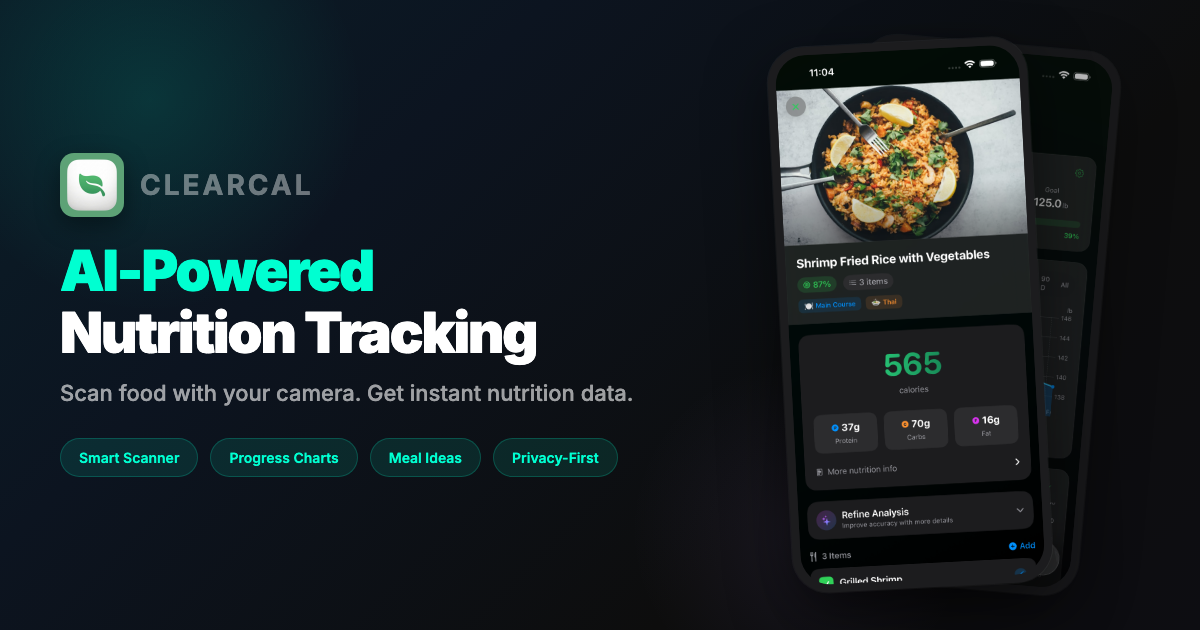
I am thrilled to introduce ClearCal – a nutrition tracking app I have been building for iOS. It represents everything I believe a modern health app should be: intelligent, private, and genuinely useful.
Traditional calorie tracking apps are tedious. You have to search through endless food databases, estimate portion sizes by hand, and manually enter everything you eat. I wanted something that just works – point your camera at any meal, and get instant, accurate nutrition data. ClearCal uses Google Gemini to analyze food images and extract nutritional information automatically, making tracking as simple as taking a photo.
Key Features
- Privacy-First: All data stored locally on your device using SwiftData
- Smart Analysis: Google Gemini for accurate multi-item food recognition
- Background Processing: Scan and close – results appear via notification
- Native Design: Beautiful SwiftUI interface following Apple Human Interface Guidelines
Smart Food Scanner
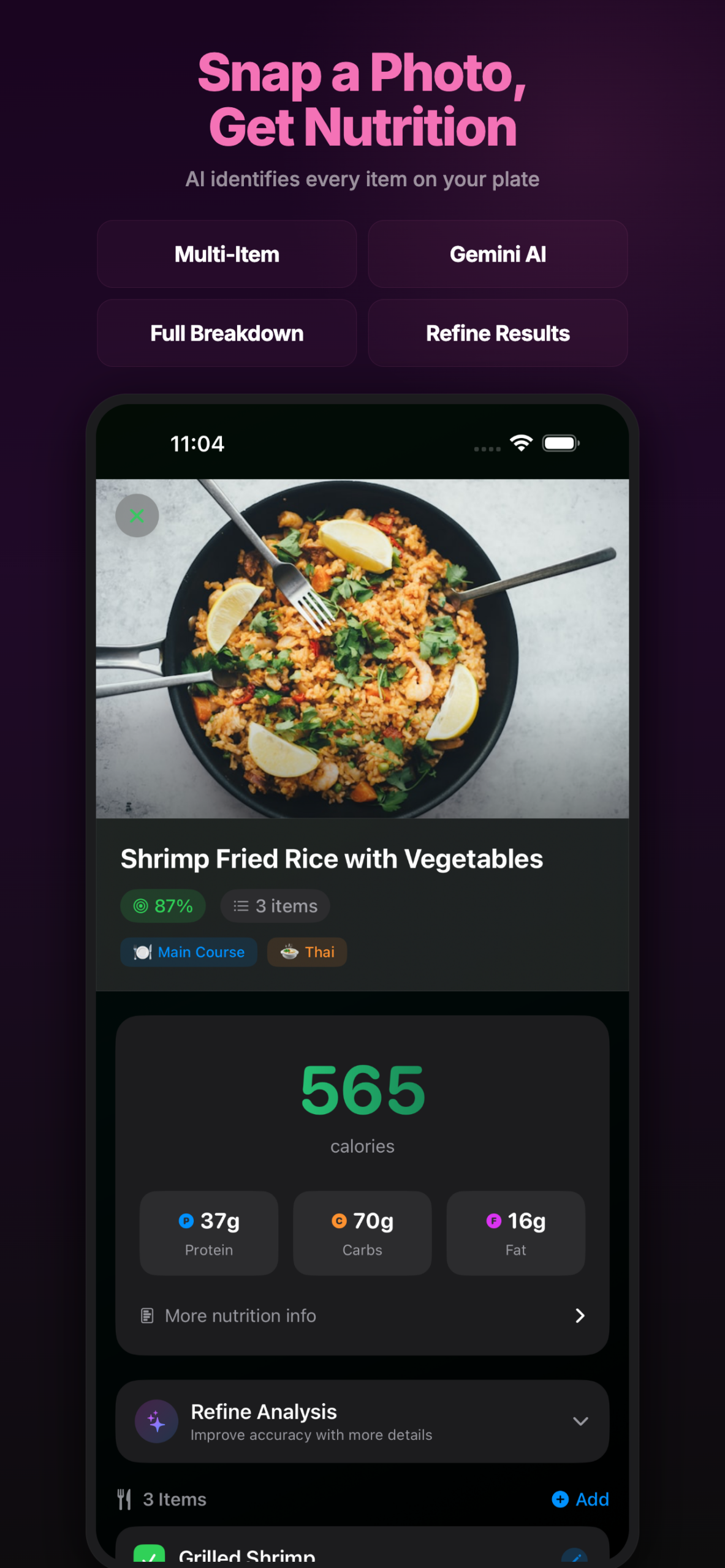
The heart of ClearCal is its intelligent food scanner. Unlike other apps that treat your entire plate as a single item, ClearCal uses multi-item detection to identify each food separately and provide individual nutritional breakdowns for everything on your plate.
Simply point your camera at any meal – whether it is a home-cooked dinner, restaurant dish, or packaged snack. The AI instantly recognizes individual components like rice, curry, vegetables, sauces, and condiments. Each item gets its own detailed calorie and macro breakdown, giving you precise control over your nutrition tracking without any manual searching.
- Multi-Item Detection: Identifies every component on your plate separately – rice, proteins, vegetables, sauces – each with its own nutritional data
- Nutrition Label Priority: When ClearCal detects packaged food with a visible nutrition label, it reads the actual manufacturer data rather than estimating
- AI Regeneration: Think the portion size estimate is wrong? Tap to regenerate with adjustments. Tell it “this was a large serving” and watch it recalculate
- Background Processing: In a hurry? Snap your photo and close the app. ClearCal continues processing and sends a notification when your meal is logged
- Instant Results: No more searching through food databases or scrolling through generic entries. Just point, shoot, and get accurate nutrition info in seconds
- Contextual Understanding: The AI understands cooking methods – it knows that “grilled” chicken has different macros than “fried” chicken and adjusts accordingly
The scanner works in any lighting condition and can handle complex meals with multiple dishes. Whether you are meal prepping for the week or grabbing a quick lunch, ClearCal makes logging effortless.
Track Your Progress
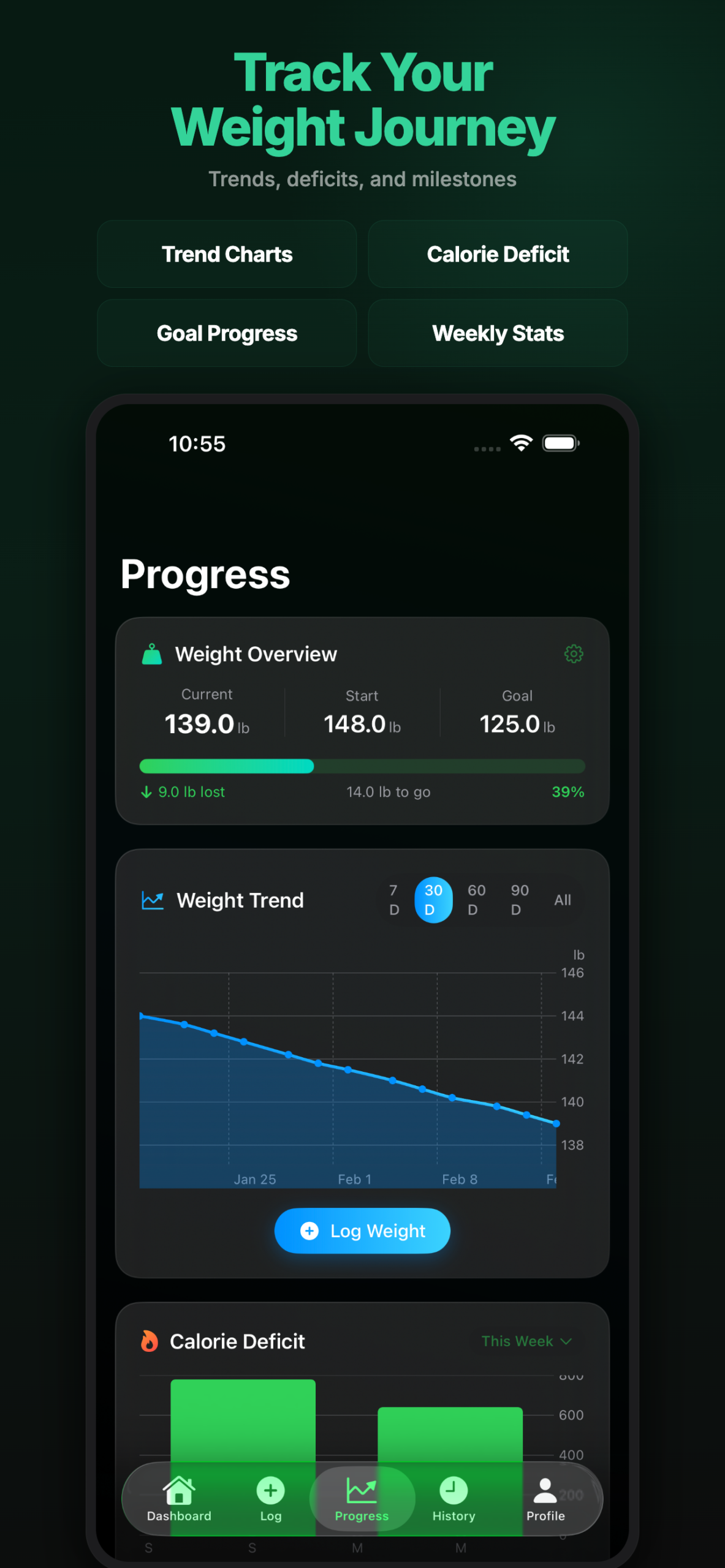
ClearCal is not just about logging food – it is about understanding your journey. The Progress view provides a comprehensive dashboard of your health metrics, beautifully visualized using native Swift Charts that feel right at home on iOS.
Your weight journey is more than just a number on a scale. Daily fluctuations from water retention, meal timing, and other factors can be discouraging if you only look at individual weigh-ins. ClearCal smooths out the noise to show you the real trend – whether you are steadily losing, gaining for muscle building, or maintaining your current weight.
- Weight Trend Analysis: Intelligent trend lines smooth out daily fluctuations to reveal the real trend in your weight journey, not just random day-to-day changes
- Calorie Deficit Tracking: See your daily deficit or surplus based on your calculated TDEE. Watch that cumulative deficit number grow as you stay consistent with your goals
- Goal Progress Ring: Set a target weight and visualize your percentage completion with an intuitive progress ring. Milestone markers celebrate your achievements along the way
- Weekly Statistics: Every week, get a comprehensive summary including average daily calories, macro distribution percentages, total weight change, and your consistency score
- Pattern Recognition: Identify trends in your eating habits – maybe you eat more on weekends, or tend to skip breakfast on busy days. These insights help you adjust your approach
- Historical Comparison: Compare this week to last week, this month to last month. See how your habits have evolved and improved over time
The charts are fully interactive – pinch to zoom, tap for details, and swipe to navigate through your history. All rendered natively with Swift Charts for smooth 60fps animations.
AI Meal Suggestions
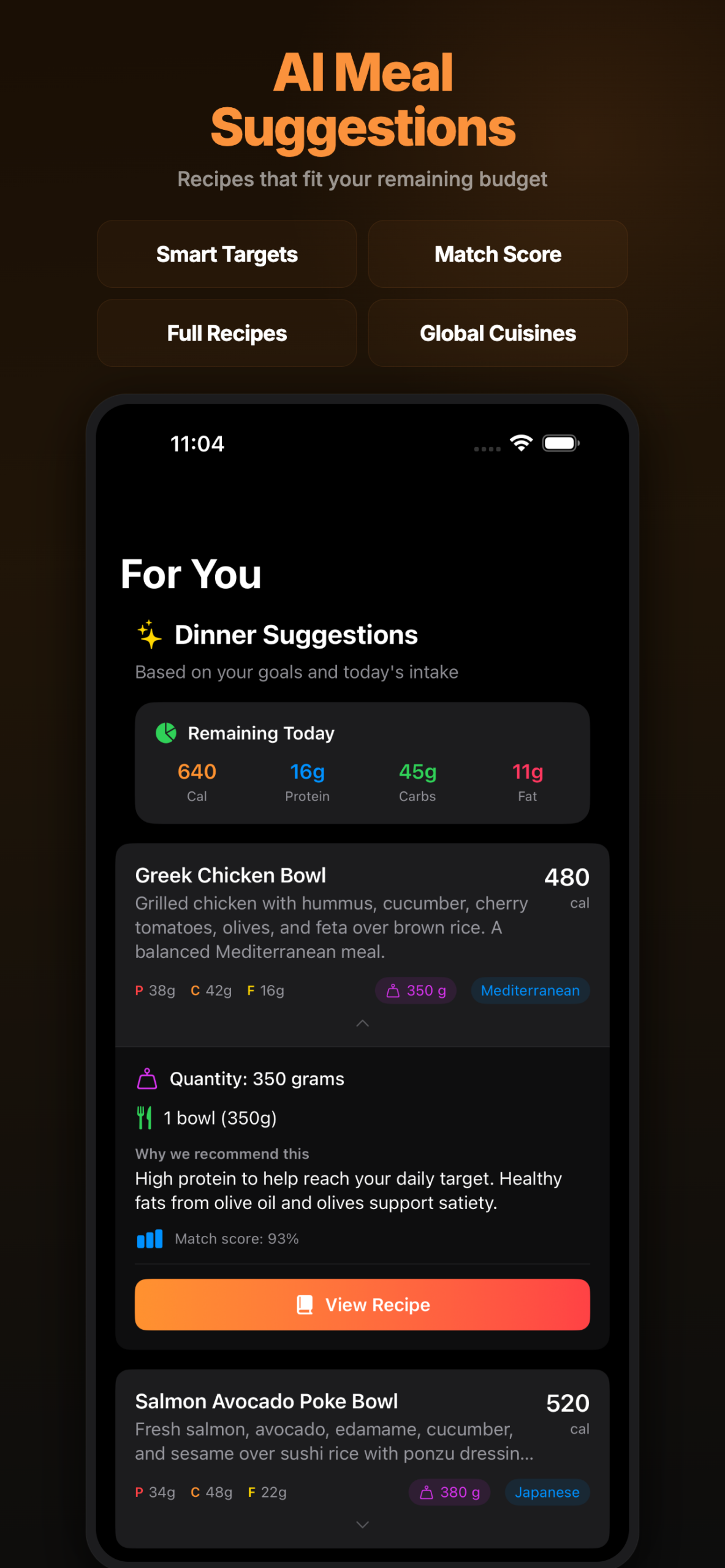
Running low on your calorie budget but still hungry? This is where ClearCal truly shines. The AI analyzes your remaining macros for the day and suggests meals that fit perfectly within your budget – no more mental math or guessing games.
The suggestions are not generic recipes pulled from a database. ClearCal considers what you have already eaten today, your remaining protein/carb/fat targets, and even your cuisine preferences to generate personalized recommendations that actually make sense for your situation.
- Smart Macro Targeting: Low on protein for the day? ClearCal prioritizes high-protein meal suggestions. Need more fiber? Vegetable-rich options rise to the top automatically
- Match Scores: Each suggestion displays a match score showing how perfectly it fits your remaining budget. A 95% match means the meal hits almost exactly what you need
- Complete Recipes: Tap any suggestion to get full cooking instructions, complete ingredient lists with quantities, prep times, and cooking tips
- Global Cuisines: Whether you are craving Indian dal, Japanese ramen, Mexican tacos, or Italian pasta – set your preferences or explore cuisines from around the world
- Calorie-Aware Filtering: Only see meals that actually fit your remaining daily budget. No more scrolling through recipes that would put you over
- Quick Options: Short on time? Filter for meals that take 15 minutes or less. ClearCal suggests quick snacks and simple meals when you need something fast
- Dietary Preferences: Vegetarian, vegan, gluten-free, dairy-free – set your dietary restrictions and ClearCal only suggests meals that fit your lifestyle
The meal suggestion engine learns from your choices over time. If you frequently pick Asian cuisine options, it will prioritize those in future recommendations while still offering variety.
Restaurant Menu Analysis
Eating out does not have to mean losing track of your nutrition goals. ClearCal’s menu analysis feature lets you photograph any restaurant menu and get intelligent recommendations based on your remaining calorie budget for the day.
Whether you are at a fancy restaurant with a printed menu, browsing a delivery app on your phone, or looking at a menu board at a cafe, ClearCal can analyze it and help you make informed choices without the awkwardness of asking the waiter about calories.
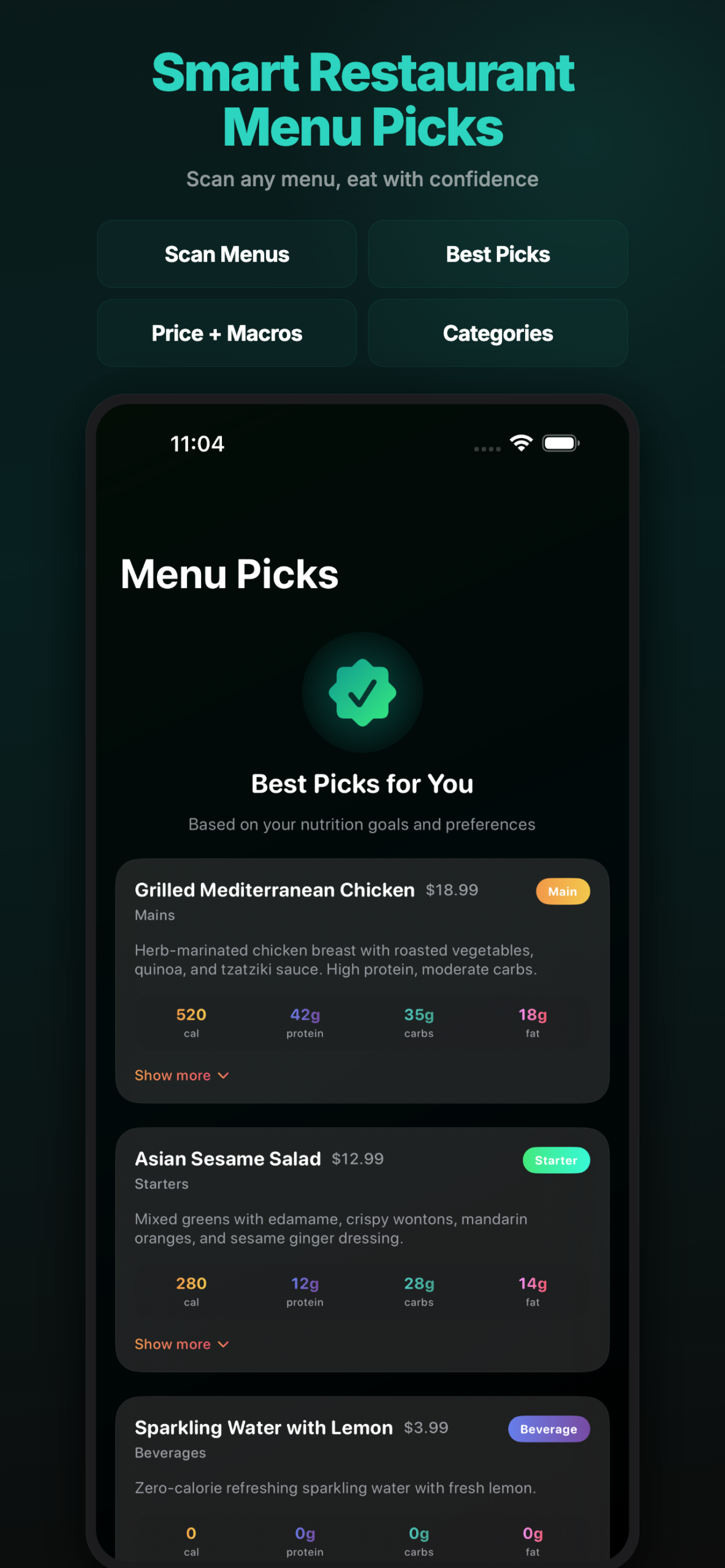
- Intelligent Menu Parsing: Point your camera at physical menus, take screenshots of delivery apps like DoorDash or UberEats, or paste menu images. ClearCal reads and understands menu items, descriptions, and prices
- Budget-Aware Rankings: Menu items are ranked by how well they fit your remaining calorie budget. Best choices are highlighted with a green checkmark so you can order with confidence
- Healthier Alternatives: Sometimes you want that burger, but it does not fit your budget. ClearCal suggests smart modifications: “Get grilled instead of fried” or “Ask for dressing on the side”
- Cuisine Intelligence: The AI understands cuisine-specific terminology. It knows that “tikka” means grilled (lower calories) while “butter” indicates a cream-based sauce (higher calories)
- Any Restaurant Type: Works with sushi bars, Indian buffets, Mexican grills, Italian trattorias, Chinese takeout, American diners, and everything in between
- Price + Nutrition: See both the price and estimated nutrition info side by side. Find the best value meals that also fit your macro targets
- Save Favorites: Going to the same restaurant often? Save your favorite orders for quick reference next time
The menu analysis works offline once you have taken the photo, so you can analyze menus even in restaurants with poor cell reception.
Complete Food History
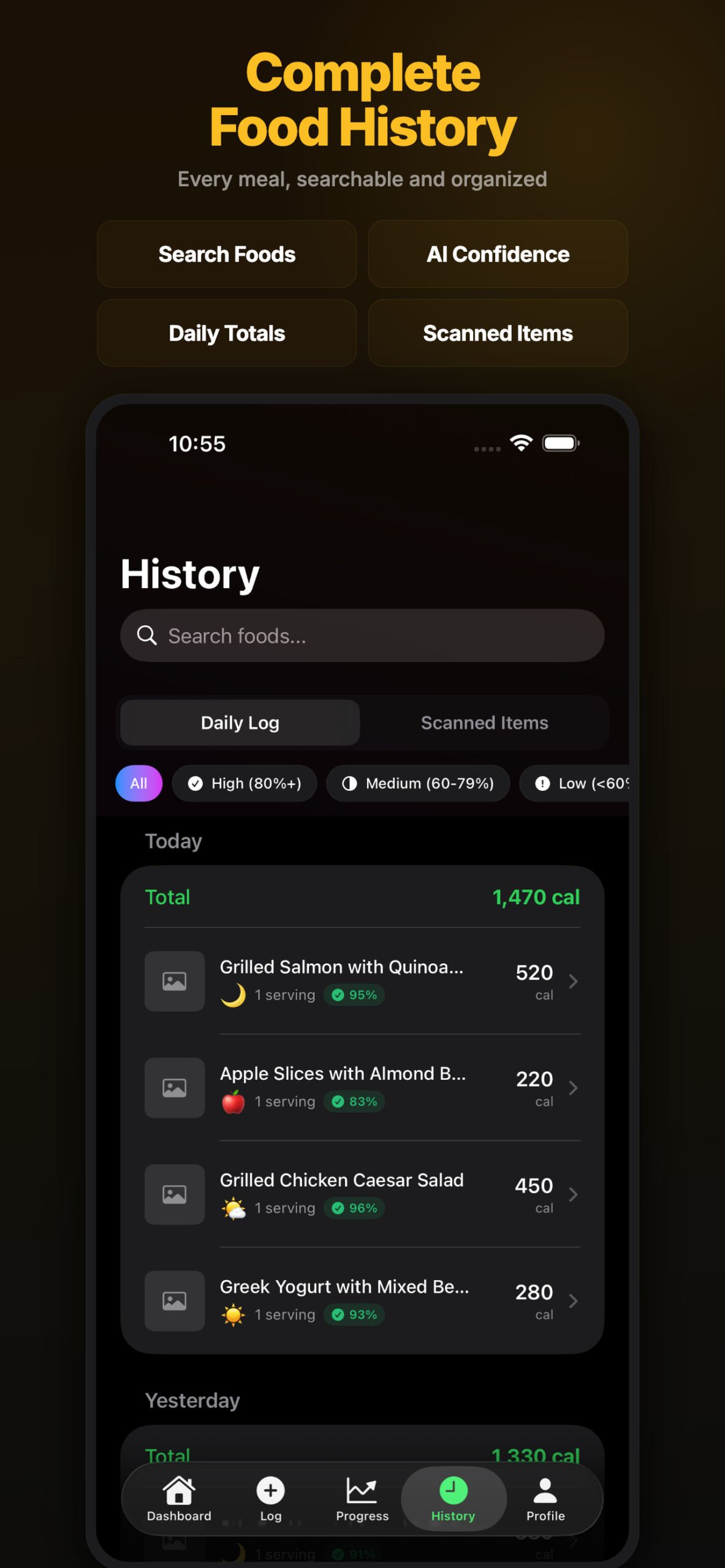
Every meal you log becomes part of your personal nutrition database. The History view gives you a beautiful, chronological record of everything you have eaten – complete with photos, detailed nutritional data, and timestamps.
Think of it as a photo album for your nutrition journey. Scroll through days, weeks, and months of meals. See how your eating habits have evolved. Remember that amazing homemade dinner from three weeks ago and recreate it with confidence knowing exactly what the macros were.
- Visual Food Diary: Scroll through your food history with beautiful thumbnail previews of each meal. Tap any entry to see the full analysis with individual item breakdowns
- Daily Summaries: Each day displays total calories, macro breakdown, and meal count at a glance. Quickly see how your eating patterns vary throughout the week
- Edit and Correct: Made a mistake? Easy to fix. Tap any logged meal to adjust portions, remove items that were not yours, or add foods that the AI missed
- Quick Re-log: Eating the same meal again? One tap to re-log any previous entry with today’s date. Perfect for meal-prep lunches or your go-to breakfast routine
- Search and Filter: Looking for that amazing salad from last week? Search your history by food name, date range, or calorie range. Filter by meal type – breakfast, lunch, dinner, or snacks
- Meal Patterns: ClearCal identifies your eating patterns. Maybe you consistently eat lighter on Mondays or tend to snack more in the evenings. These insights help you understand your habits
- Export Options: Need your data for a nutritionist or doctor? Export your food history as a PDF report or CSV spreadsheet with full nutritional details
All your data is stored locally on your device using SwiftData. Your food history is private, secure, and always accessible – even without an internet connection.
Privacy First
In an age where health apps routinely sell your personal data to advertisers and insurance companies, ClearCal takes a fundamentally different approach. Your nutrition data never leaves your device. We believe your health information belongs to you – not to data brokers.
| Feature | ClearCal | Other Apps |
|---|---|---|
| Data Storage | Local only (SwiftData) | Cloud servers |
| Account Required | No account needed | Email/social login required |
| Data Selling | Never – your data stays yours | Often monetized to third parties |
| AI Processing | Minimal data sent for analysis | Full data uploaded to servers |
| Backup | iCloud backup (encrypted) | Company-controlled servers |
Built With Modern Apple Technologies
ClearCal is built entirely with Swift and modern Apple frameworks, ensuring a native experience that feels right at home on your iPhone.
| Technology | Purpose |
|---|---|
| SwiftUI | Native iOS UI with smooth animations and haptic feedback |
| SwiftData | On-device persistence with full privacy and iCloud sync |
| Swift Charts | Beautiful, interactive progress visualizations at 60fps |
| Google Gemini | State-of-the-art vision AI for accurate food recognition |
| HealthKit | Seamless integration with Apple Health for weight syncing |
| Background Tasks | Process photos even when the app is closed |
What is Coming Next
ClearCal is actively being developed with exciting features on the roadmap. Here is what is coming:
- Apple Watch companion app
- Custom macro targets per day
- Weekly meal planning
- Export reports (PDF/CSV)
- Barcode scanning
- Voice logging with Siri
- Home screen widget
- Exercise integration
- Multi-language support
- iPad optimization
Interested in trying ClearCal? Stay tuned for the TestFlight beta announcement!